How do I see a folder's size on Mac without Get Info?
Select it and press Space. Foldout adds up every file in every subfolder and shows the total, the file count and when anything inside last changed.
Foldout turns Quick Look into a folder X-ray: real size, what fills it, the biggest and newest files, and for code projects the git branch and README.
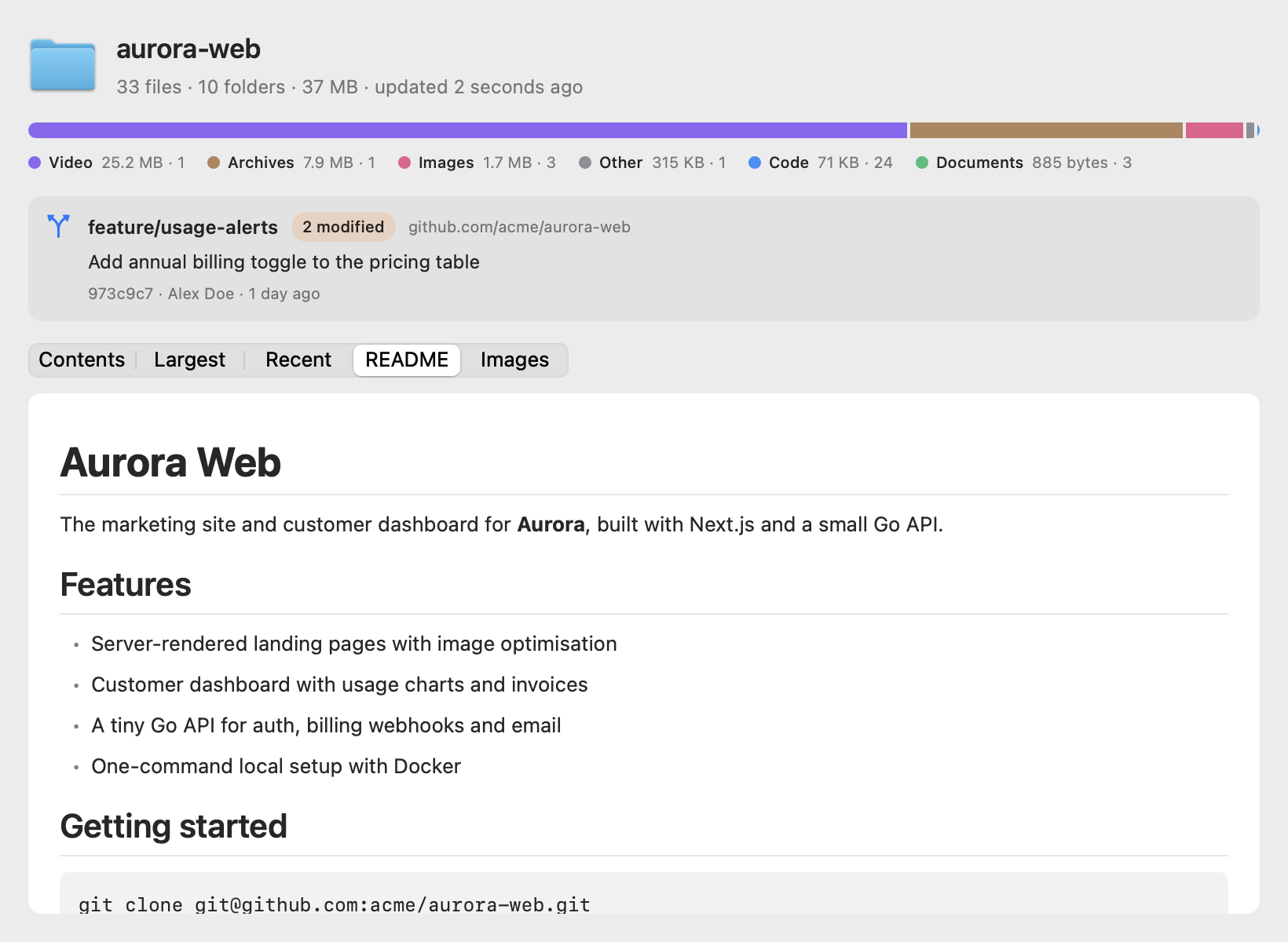
Finder's Quick Look shows a folder as a big blue icon. Foldout shows you what's actually in it.
In Finder, on the Desktop, or in any app that uses Quick Look. Downloads, projects, photo shoots, client handoffs.
Foldout scans everything inside in the background. Numbers fill in live, so you never wait on a spinner.
Size and file types at the top. Contents, largest and recent files in tabs. Git and README when it's a project.
Finder hides most of what you want to know about a folder until you open it, or open Get Info, or open Terminal.
Select it and press Space. Foldout adds up every file in every subfolder and shows the total, the file count and when anything inside last changed.
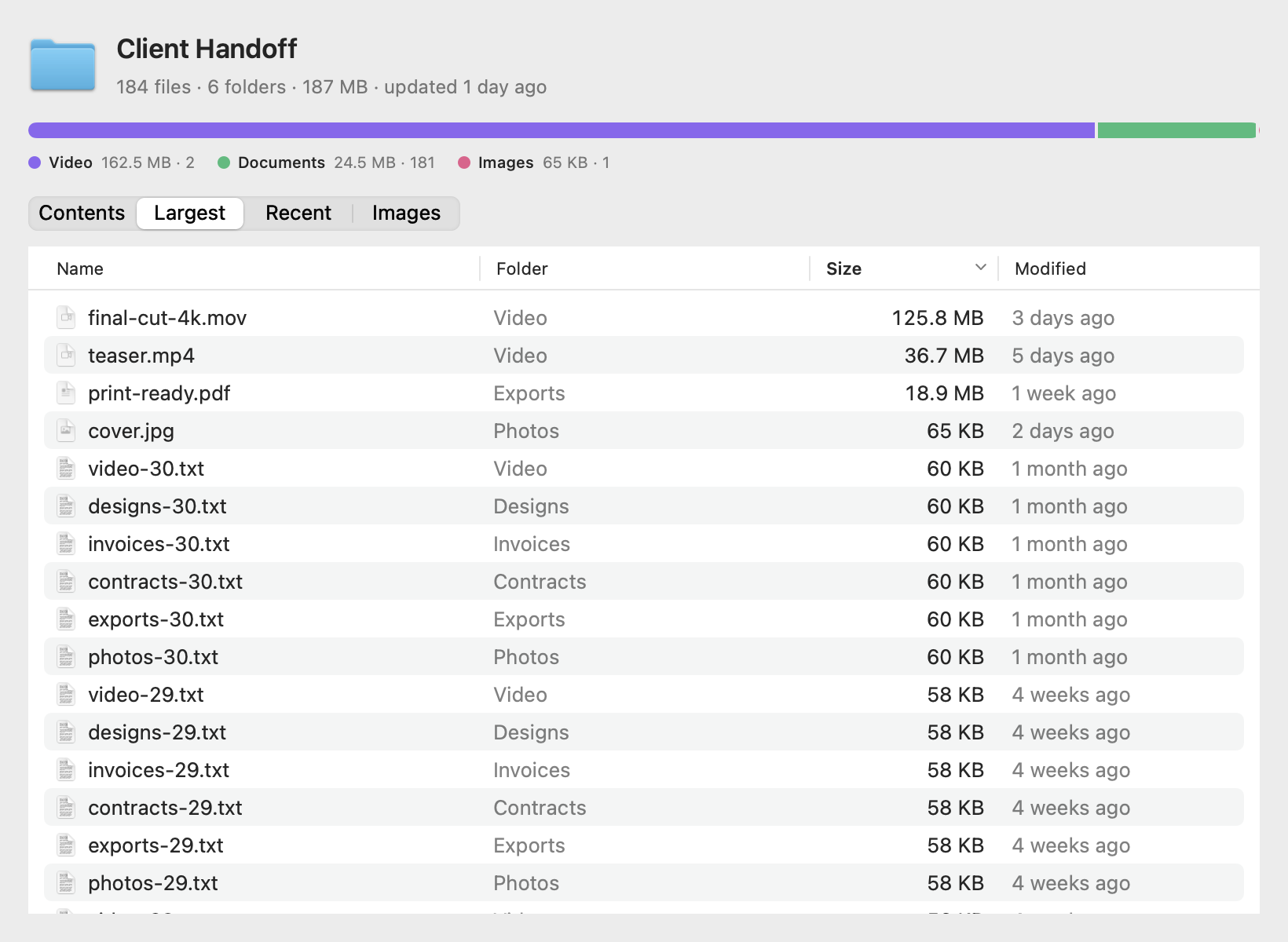
The type bar shows how much is video, images, code or documents. The Largest tab lists the 100 biggest files anywhere inside, with the subfolder each one lives in.
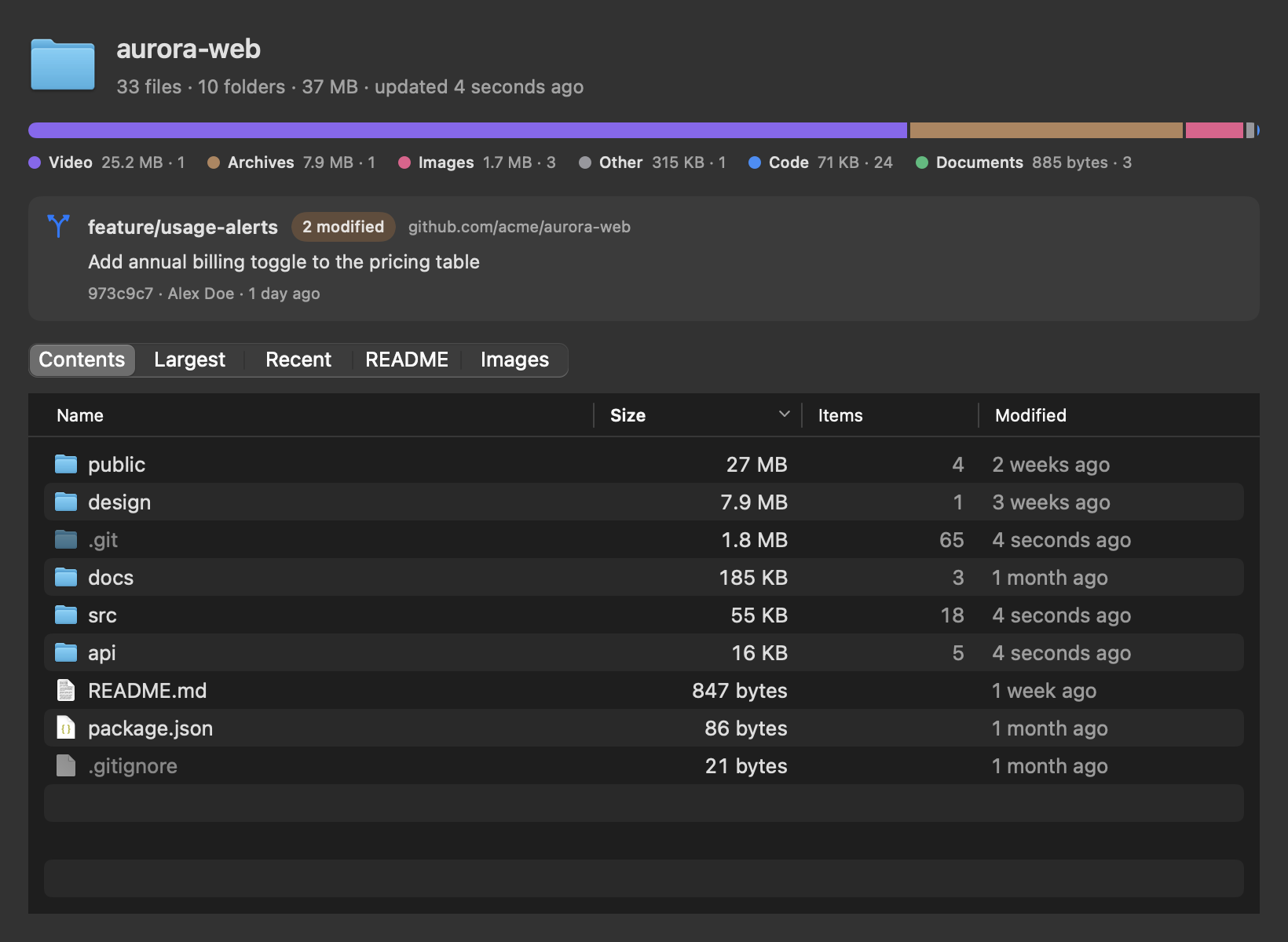
macOS doesn't do it on its own. With Foldout, Quick Look shows a sortable table of everything in the folder, with sizes that include subfolders.
The Recent tab lists the 100 newest files from all subfolders, not just the top level. Handy for downloads and shared drives.
Yes. Press Space on a project folder to see the branch, the last commit and its author, and how many tracked files are modified or deleted.
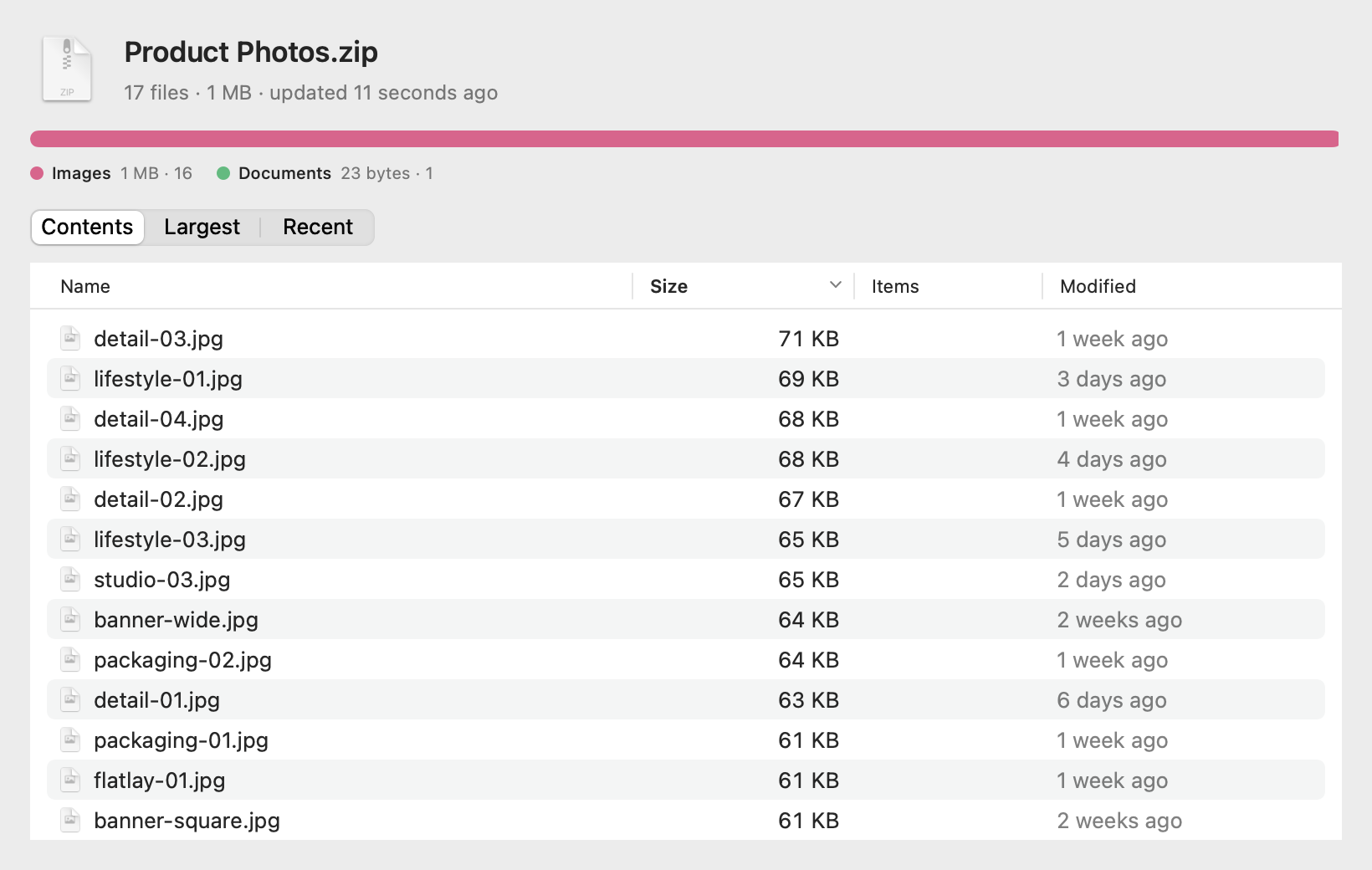
Select the .zip and press Space. Foldout lists its files with their real, uncompressed sizes. Nothing is extracted.
Foldout renders .md files with headings, lists, code blocks, quotes and tables, offline, in light or dark mode.
Foldout is free and MIT-licensed. The comparison page lines it up against the paid and free alternatives.
Comparing options? See Foldout vs Folder Preview, PeekX, Unfold and other Quick Look folder apps.
Everything below runs on your Mac, in a sandboxed, read-only extension with no network access.
Every file in every subfolder, counted in the background. Huge folders stop after 15 seconds and show what they found.
One bar shows how much space video, images, code, documents, archives and audio take, with counts.
Sortable tables: what's at the top level with full sizes, the 100 biggest files inside, and the 100 newest.
Branch, last commit, author, date, and counts of modified and deleted files. Read straight from .git, linked worktrees included.
A project's README opens rendered: headings, lists, code blocks, quotes and tables. Standalone .md files too.
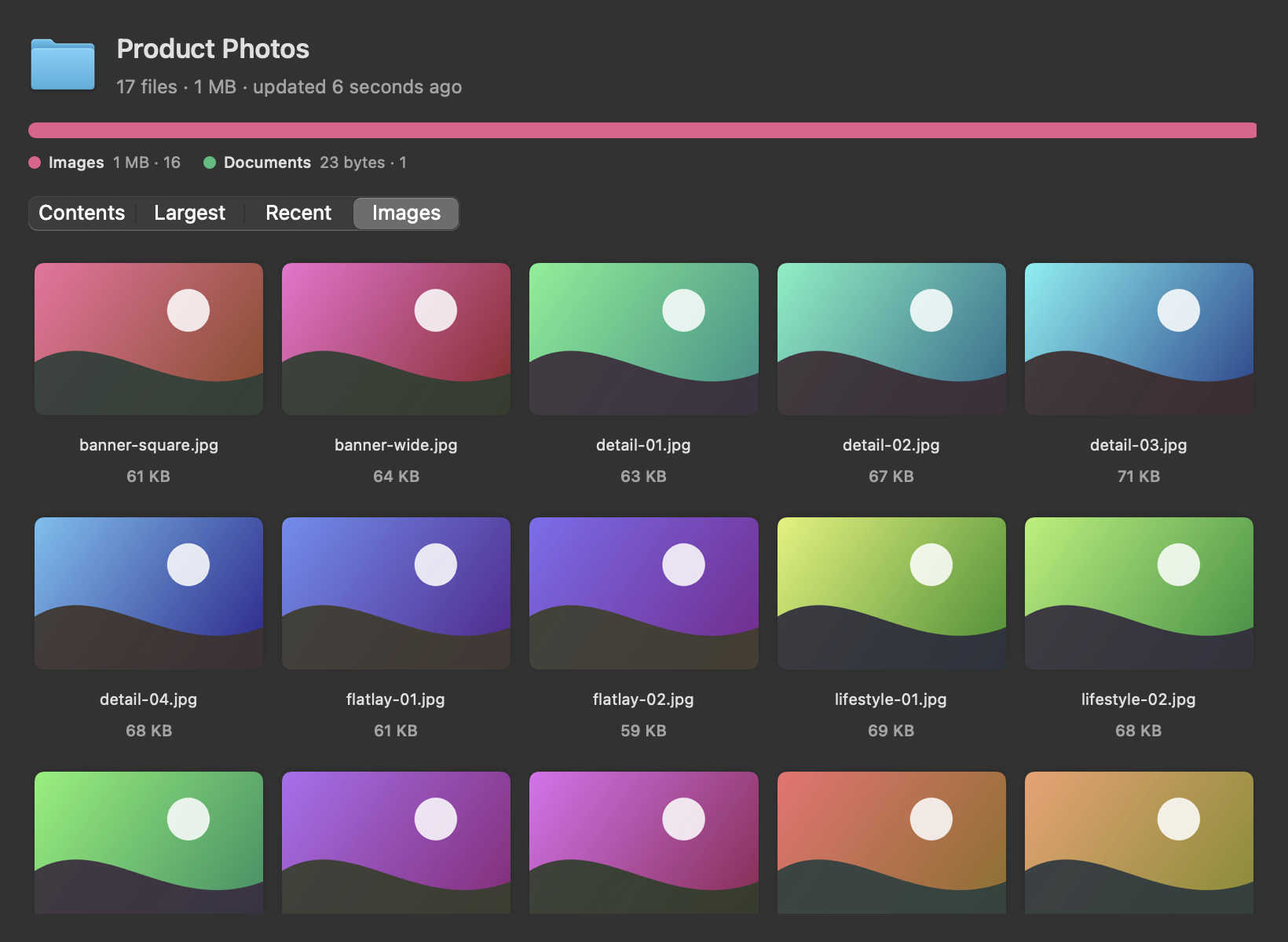
Folders that are mostly photos open straight to thumbnails, sorted by name.
Press Space on a .zip to see every file, the uncompressed size and the type breakdown, without extracting.
Native SwiftUI that follows your system appearance. Universal binary for Apple Silicon and Intel.
Sandboxed and read-only. No network access, no analytics. It skips other apps' data and cloud drives instead of asking.
Sample folders, generated for these screenshots.
Homebrew builds Foldout on your Mac, so there's no security prompt. Or download the app.
Homebrew builds Foldout from source on your own Mac, so macOS never shows the "Not Opened" dialog.
Prefer to build it yourself? git clone the repo and run ./scripts/build.sh --install.
Foldout's window shows Quick Look extension is on. Opening the app once is all it needs.
Select any folder in Finder and press Space.

I build small, focused open-source tools for the Mac. Foldout started because I kept opening folders just to find out what was in them. Also by me: Switchboard Browser Picker. More at adityarajsingh.com.
.git folder directly: HEAD and refs for the branch, the commit object for the last commit, and the index to count modified and deleted tracked files. Packed repos and linked worktrees work too. Untracked files aren't counted.brew install justadityaraj/tap/foldout, which builds the app on your Mac.qlmanage -r in Terminal.Free, open source, and two minutes to set up.