Set Switchboard as your default browser. Each link then opens in the right browser, profile or private window: by rule, or from a picker at your cursor.
Click a link in Slack, Mail or anywhere. Press 3 and it opens in Chrome · Work. Hold ⌘ and it always will.
one row per browser profilerules by site, URL or source applink cleanup built inno network requests, no accountmacOS 14+
See it in action
77 seconds, start to finish.
How it works
One click. The right window.
Switchboard sits between every app and every browser. It decides on its own, and asks you only when it should.
You click a link
In Slack, Mail, Notes, a terminal or any other app. macOS hands it to Switchboard, your default browser.
Rules decide
Work domains go to your work profile. Meeting links go to the browser you trust for calls. The first matching rule wins.
Or you pick
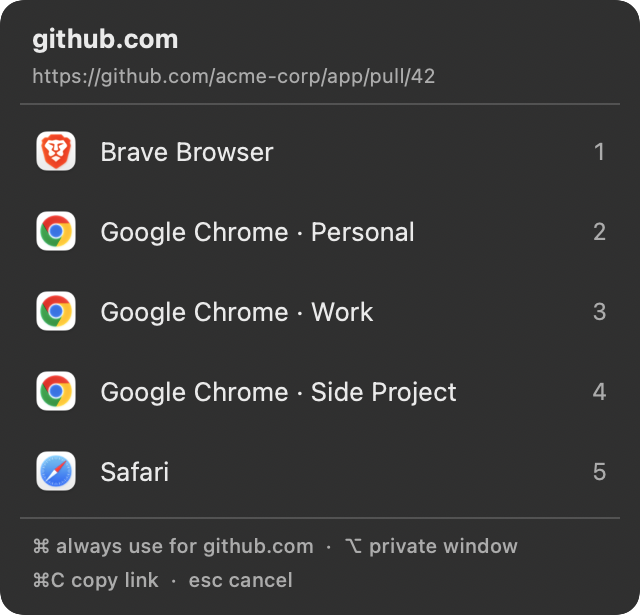
No rule? A small picker opens at your cursor. Press a number and the link opens. Hold ⌘ to turn that choice into a rule.
Problems it solves
If you've ever searched for one of these…
macOS lets you pick one default browser. Real work needs more than that.
How do I open links in a specific Chrome profile on Mac?
macOS can't target a profile, and Chrome sends outside links to whichever profile it chooses. Switchboard lists every Chrome, Brave, Edge, Vivaldi, Opera and Chromium profile by name, so you pick the exact one, or make a rule like work.example.com → Chrome · Work.
How do I choose which browser opens a link?
Set Switchboard as your default browser. Every link without a rule opens a picker at your cursor. Press 1–9 and it opens there.
Can I open Slack links in my work browser and the rest in my personal one?
Yes. Add a rule for the source app: links clicked in Slack go to your work profile, everything else follows your other rules or the picker.
How do I set a different default browser for one website?
Make a site rule, for example meet.google.com → Chrome, while everything else stays in Safari. Or hold ⌘ when picking a browser and Switchboard saves the rule for you.
How do I open certain links in an incognito or private window?
Hold ⌥ in the picker, or turn on Private window in a rule. Works with Chromium browsers and the Firefox family.
How do I remove utm_source and other tracking from links?
Switchboard strips tracking parameters such as utm_*, fbclid, gclid and msclkid from every link you open, and unwraps Outlook SafeLinks and Google, Facebook, LinkedIn and Slack redirects, all on your Mac.
How do I change my default browser on Mac?
System Settings → Desktop & Dock → Default web browser. The full walkthrough, with fixes for when it doesn't stick, is in the default browser guide.
Everything you need to stop copy-pasting links between browsers. Nothing you have to babysit.
Picker at the cursor
Opens right where you clicked. Press 1–9, Return for the first row, or Esc to cancel.
Every profile, one row each
Chrome, Brave, Edge, Vivaldi, Opera and Chromium profiles are read from disk and listed by their real names.
Rules that read like English
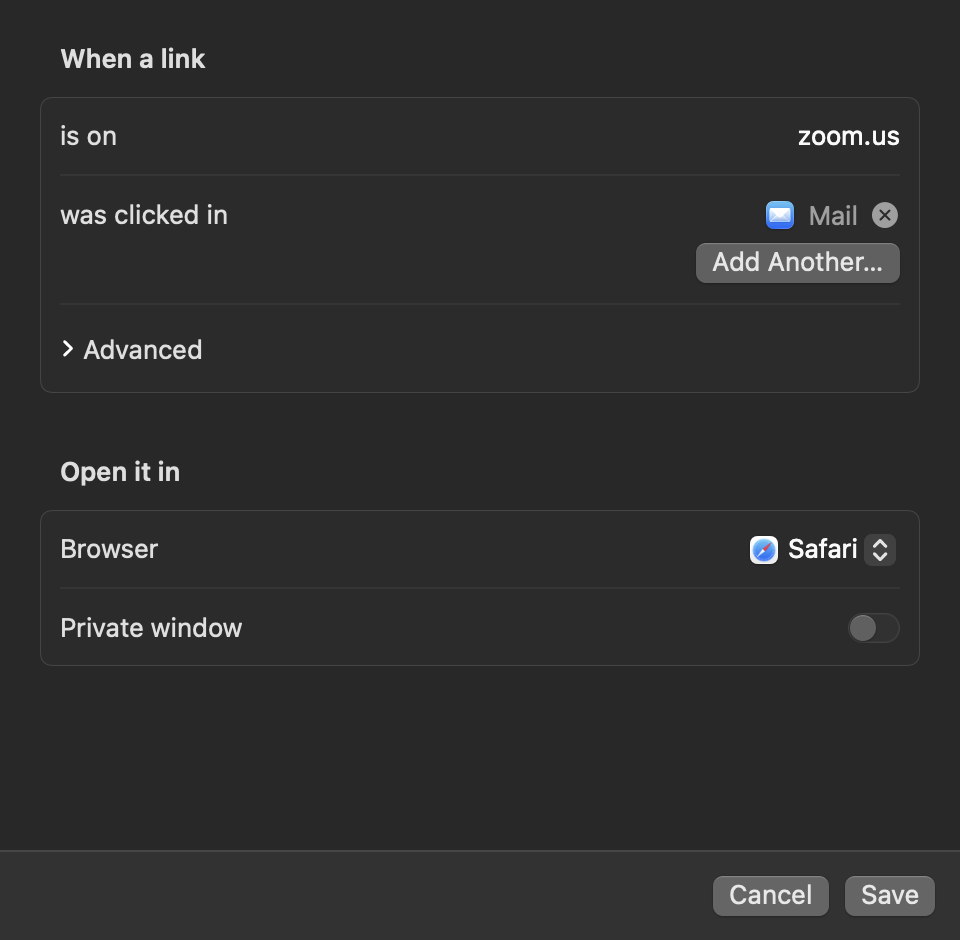
“When a link is on zoom.us and was clicked in Mail, open it in Safari.” Sites, source apps and URL patterns.
Remember with ⌘
Hold Command while picking and Switchboard saves a rule for that site. Most rules get made without opening Settings.
Private on demand
Hold ⌥ for an incognito or private window, or make a rule always open privately. Chromium and Firefox families.
Link cleanup
Strips utm_source, fbclid, gclid and other trackers, and unwraps Outlook SafeLinks, Google and Slack redirects before your rules run.
Local and private
No account, no analytics, no network calls. Settings live in one JSON file you can read, back up or edit by hand.
Settings
No config files required.
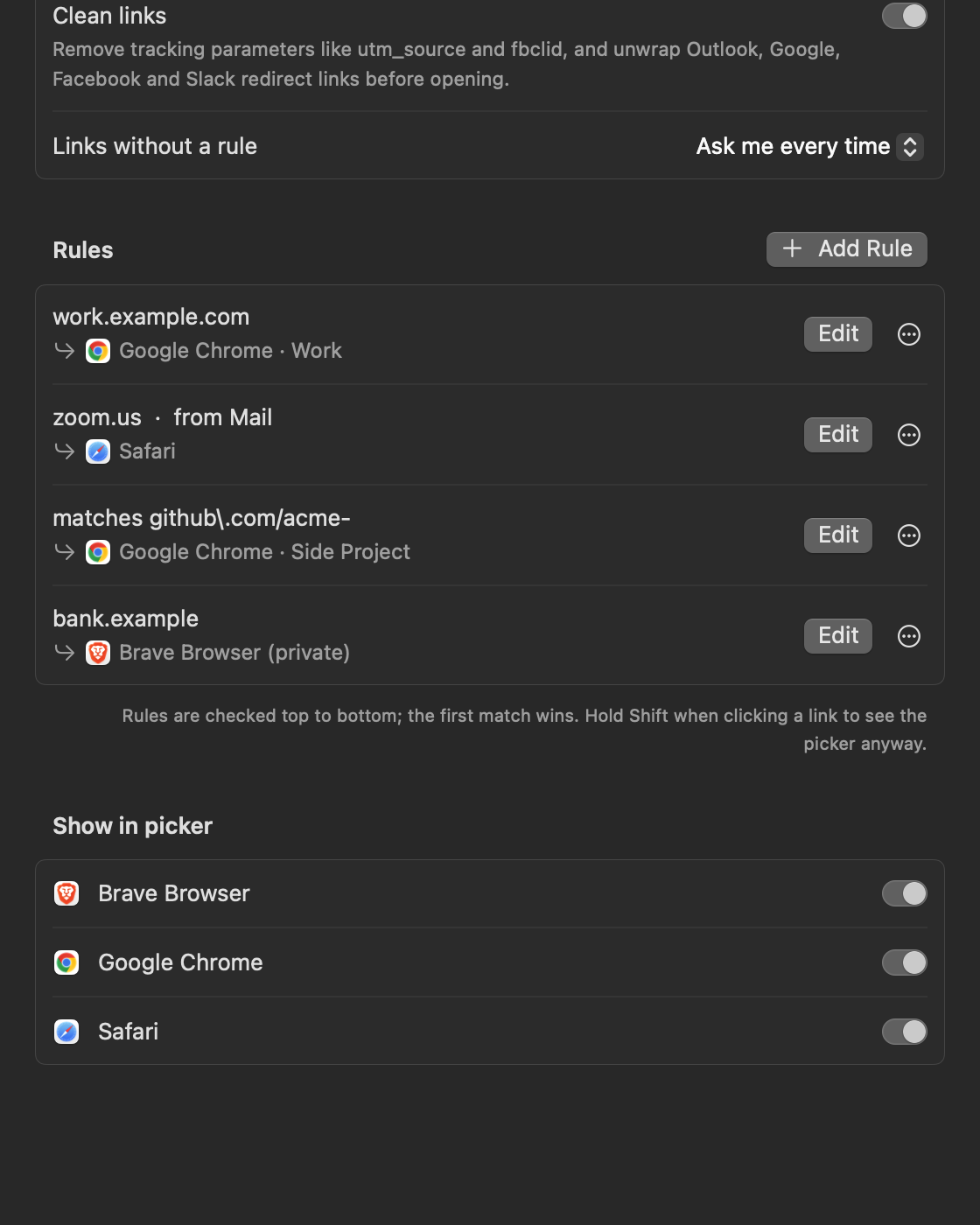
A native Settings window covers everything: default-browser status, what happens to links without a rule, your rules, and which apps appear in the picker.
Settings. Reorder, edit or delete rules, and hide apps that aren't really browsers.Rule editor. Paste a full URL and it trims to the domain. Advanced regex hides until you need it.
Keyboard
Built for fingers, not mice.
1 – 9
Open in that row
Return
Open in the first row
⌘ + choice
Open there, and always use it for this site
⌥ + choice
Open in a private window
⌘C
Copy the link instead
Esc
Cancel
Hold Shift when you click a link to get the picker even when a rule matches.
Install
Two minutes, start to finish.
Download the app, or install it with Homebrew to skip the security prompt entirely.
Prefer to build it yourself? git clone the repo and run ./scripts/build.sh --install.
Then
Click Make Default in Switchboard's Settings and confirm the macOS prompt.
Done
Click any link. Pick a browser, or hold ⌘ to remember it.
Who built this
Aditya Raj Singh
open-source builder
I build small, focused open-source tools for the Mac and for AI assistants. Switchboard started as the browser picker I wanted for myself. More of what I build at adityarajsingh.com.
Questions
Switchboard, answered.
What is Switchboard?
A free, open-source macOS menu-bar app that you set as your default browser. Every link you click goes through it, and it opens the link in the right browser, Chrome or Brave profile, or private window, from a rule or from a small picker at your cursor.
Can it open links in a specific Chrome or Brave profile?
Yes. Switchboard reads each Chromium browser's profile list and shows one picker row per profile, by its real name. It supports Chrome, Brave, Edge, Vivaldi, Opera and Chromium, and rules can target a profile directly.
How do rules work?
A rule matches on any mix of sites, the app the link was clicked in, and a URL pattern. It sends the link to a browser, profile or private window. Rules are checked top to bottom, and the first match wins. Manage them in Settings, or hold ⌘ while picking a browser to create one instantly.
Is it free? Does it collect any data?
It's free and MIT-licensed. There's no account and no analytics, and it makes no network requests. Your settings live in ~/Library/Application Support/Switchboard/config.json.
Why does macOS warn me when I open it?
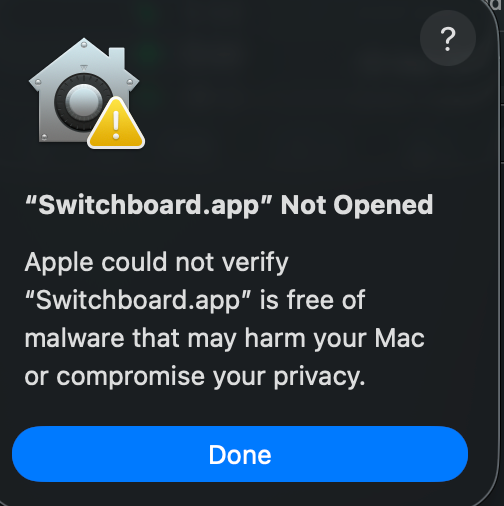
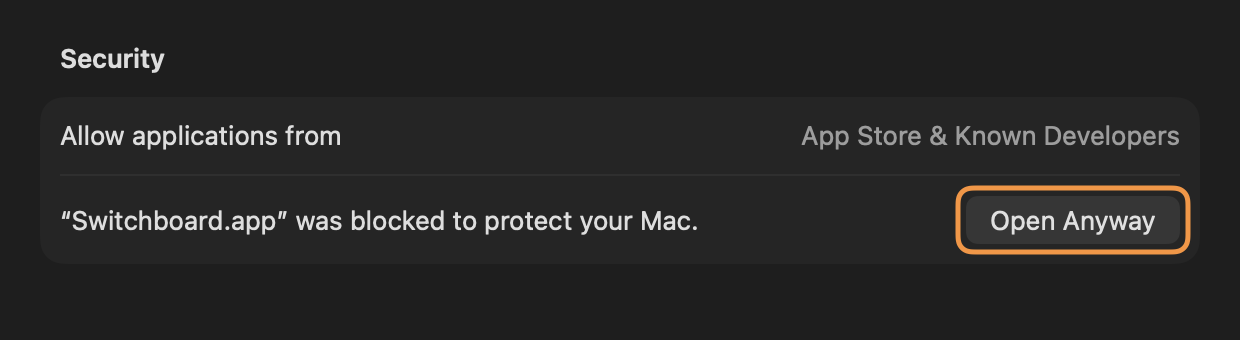
The release isn't notarized by Apple, so the first launch shows "Switchboard.app" Not Opened. Click Done, then go to System Settings → Privacy & Security and click Open Anyway. You only do this once. To skip the prompt entirely, install with Homebrew: brew install justadityaraj/tap/switchboard, which builds the app on your Mac.
What do I need to run it?
macOS 14 Sonoma or later, on Apple Silicon or Intel. Building from source needs Xcode 16 or later.